Context & Goals
Background
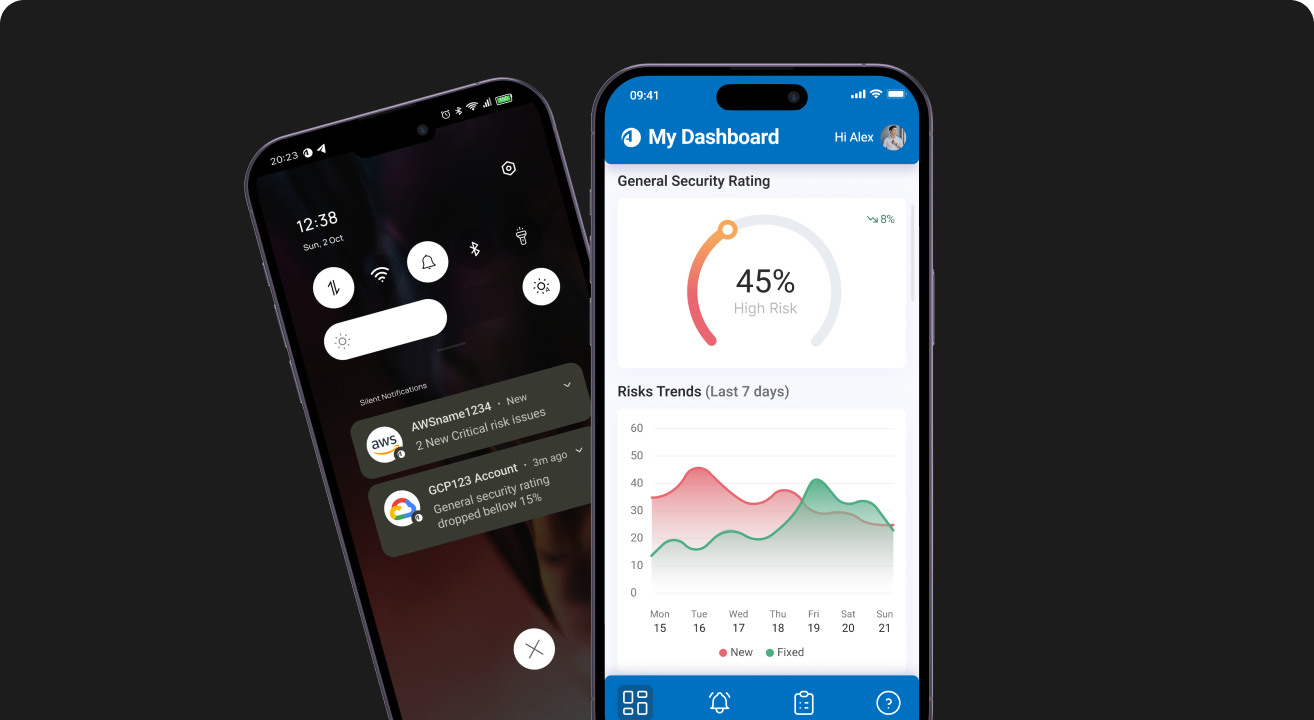
Mobile app focused on managing critical and high-risk incidents. This project was based on a concept that originated in an internal hackathon at AlgoSec (2024), where I previously worked as a UX/UI designer. After leaving the company, I further developed the idea independently as a personal case study, using personas and flows that I was familiar with from my time on the team. The concept stemmed from a need I identified in risk management and notifications.
Existing approach: notifications via emails
In AlgoSec's current product, notifications receive minimal attention. They are sent via email or Microsoft Teams, which creates issues such as the lack of real-time alerts and difficulties in making quick decisions, since users cannot take action directly from the email. Additionally, AlgoSec does not send mobile-optimized emails, but rather uses responsive emails, which makes it harder to read the information, especially in the cybersecurity field, where clarity and fast responses are crucial.
Goals
- Custom Dashboard
Create a visual and clear Dashboard tailored to two distinct user personas: management and junior employees. Ensuring that each user type can access the most relevant information at a glance. - Notifications (Alert) page
Implement a filtering system and create a clear hierarchy between urgent and less urgent alerts. - Risk Page
Enable quick actions directly within the app, such as opening a task or assigning it to a specific team member. - Task page
Provide options to filter and track personal tasks that the user has opened or been assigned on. Allow to open an internal chat feature.